A webhook tells your own software about calls as they happen. When a call arrives on one of your numbers, or ends, Siptalk sends an HTTP POST to a URL you choose, carrying the details of the call. Typical uses are popping the caller's record on screen in your CRM, logging calls in a helpdesk, or triggering an SMS follow-up after a missed call.
What webhooks do
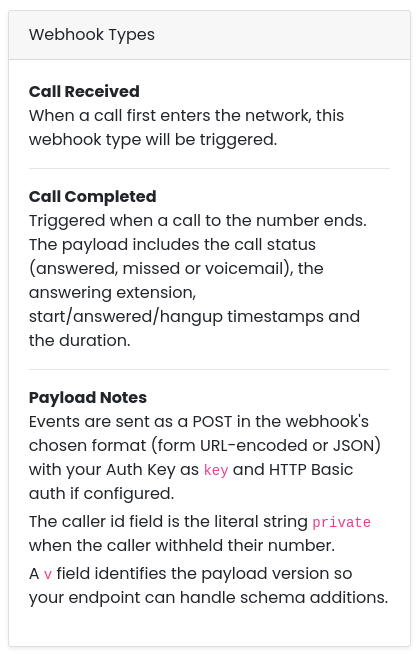
There are two event types. A webhook is one or the other; the type is chosen when it's created and can't be changed afterwards.
- Call Received — fires the moment a call reaches the number, before anything answers. Use it for screen pops and anything that needs to know who is calling now.
- Call Completed — fires when the call ends, with the outcome: answered, missed or voicemail, which extension answered, the start, answer and hang-up times, and the duration. Use it for call logging and missed-call follow-ups.
Webhooks are created once for your organisation under Settings → Webhooks, then assigned to as many numbers as you like. Each number can have one Call Received hook and one Call Completed hook.
Create a webhook
Go to Settings → Webhooks. In the Add Webhook card on the right, choose the type — Call Received or Call Completed — and click [Create Webhook].
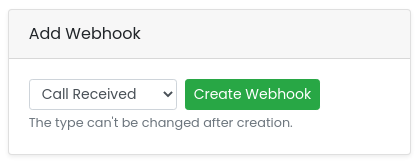
The new webhook appears on the left. Click the pencil next to its name to give it a name you'll recognise on the number page — "CRM screen pop", say.
Configure it
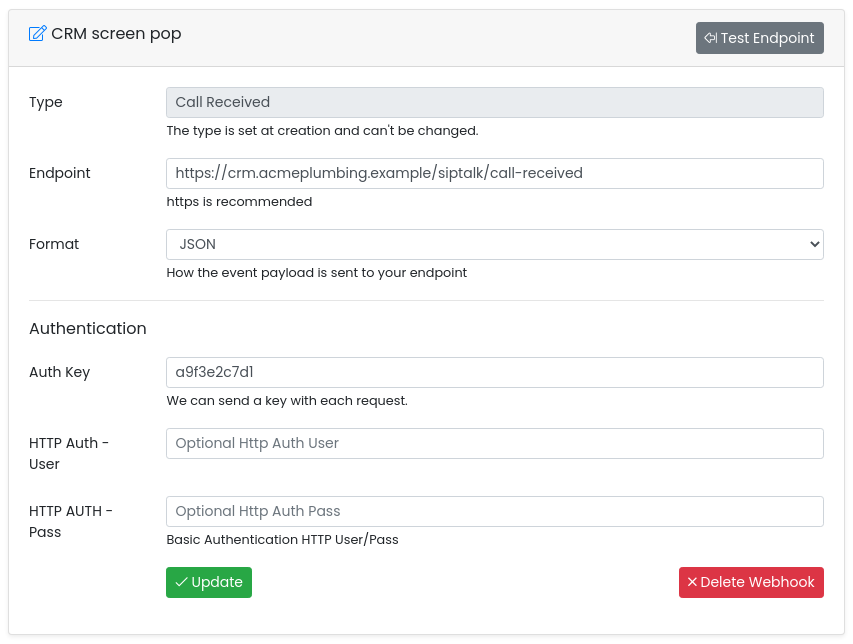
- Endpoint — the full URL Siptalk should POST to. HTTPS is strongly recommended.
- Format — how the payload is sent: Form URL-encoded (like an HTML form submission; in PHP it arrives in
$_POST) or JSON (a JSON object in the request body). Pick whichever your application handles more easily. - Auth Key — optional. Any string you choose; it's sent with every event as the
keyfield, so your endpoint can check the request really came from Siptalk. Use a long random value. - HTTP Auth User / Pass — optional HTTP Basic authentication, if your endpoint sits behind it.
Click [Update]. Changes apply to every number the webhook is assigned to.
Assign it to a number
Go to Services → Phone Numbers, click [Manage] on the number, and find the Webhooks card in the right-hand column. Pick your webhook in the Call Received or Call Completed list; only webhooks of the matching type are offered. The change saves as soon as you pick it.
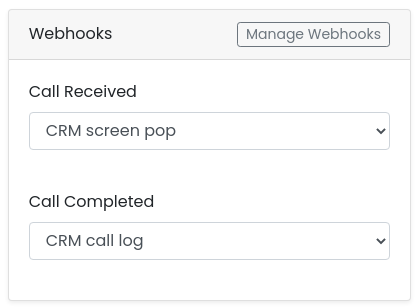
Set either list back to None to stop events for that number.
Send a test
On Settings → Webhooks, click [Test Endpoint] on the webhook. Siptalk sends a sample event with the same fields as a real one — the eventid starts with test- so your code can tell — and shows whatever your endpoint sent back.
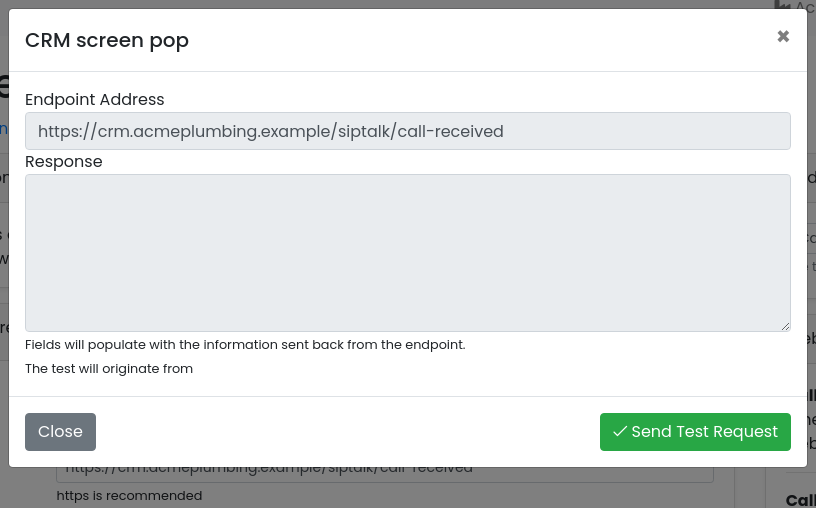
An empty response with no error means your endpoint accepted the request. If you see a connection error or an HTTP error code, check the endpoint URL and any firewall in front of it.
Payload reference
Every event is an HTTP POST with an X-Siptalk-Event header naming the event type, and the fields below in the webhook's chosen format. Values are strings unless noted.
Fields sent on every event
| Field | Meaning |
|---|---|
event | call-received or call-completed |
key | Your Auth Key, or an empty string if none is set |
eventid | Unique id for this event; safe to use for de-duplication |
number | The Siptalk number that was called, digits only (e.g. 0355501987) |
callerid | The caller's number, digits only, or the literal string private when withheld |
Additional fields on Call Completed
| Field | Meaning |
|---|---|
status | answered, missed or voicemail |
answered_by | The extension that answered, if any |
start, answered, hangup | Date-times as YYYY-MM-DD HH:MM:SS |
duration | Call length in seconds (a number in JSON) |
v | Payload version, currently 2 (a number in JSON). Expect new fields to be added over time; ignore ones you don't know. |
Examples
A Call Received event, form URL-encoded:
POST /siptalk/call-received HTTP/1.1
Host: crm.acmeplumbing.example
Content-Type: application/x-www-form-urlencoded
X-Siptalk-Event: call-received

event=call-received&key=a9f3e2c7d1&eventid=6f1c2a9e3b7d&number=0355501987&callerid=0491570156
A Call Completed event, JSON:
POST /siptalk/call-completed HTTP/1.1
Host: crm.acmeplumbing.example
Content-Type: application/json
X-Siptalk-Event: call-completed

{
  "event": "call-completed",
  "key": "a9f3e2c7d1",
  "eventid": "6f1c2a9e3b7d",
  "number": "0355501987",
  "callerid": "0491570156",
  "status": "answered",
  "answered_by": "104827001",
  "start": "2026-09-27 10:14:02",
  "answered": "2026-09-27 10:14:09",
  "hangup": "2026-09-27 10:17:41",
  "duration": 212,
  "v": 2
}
Migrating from the legacy platform
If your endpoint was built for the legacy Siptalk platform, it will be reading fields that the new platform names differently. Recreate the webhook here as a Call Received hook (that's the event the legacy platform sent), point it at the same endpoint, and update your code as follows:
| Legacy field | New field | Notes |
|---|---|---|
service_number |
number |
The Siptalk number that was called. Same value, same format. |
caller_id |
callerid |
The caller's number. The new platform sends the literal string private for a withheld number; check for it before parsing. |
hook_time |
not sent | The Call Received event carries no timestamp. Record the time your endpoint received the request; a call is delivered to your endpoint within moments of arriving. If you need the call's start and end times, use a Call Completed webhook, which sends start, answered and hangup as date-time strings rather than Unix seconds. |
| — | event, eventid, key |
New. event names the event type, eventid is unique per event (use it to ignore duplicates), and key is the Auth Key you set on the webhook — compare it to reject requests that aren't from Siptalk. |
In PHP, the smallest change is to read the new names into the variables your code already uses:
$hook_time      = time();                    // legacy hook_time - not sent, use receipt time
$caller_id      = $_POST['callerid'];        // legacy caller_id
$service_number = $_POST['number'];          // legacy service_number

if ($_POST['key'] !== 'your-auth-key') {     // new: reject anything not from Siptalk
    http_response_code(403);
    exit;
}$_POST keeps working as above. If you switch to JSON, read the body with json_decode(file_get_contents('php://input'), true) instead.
Troubleshooting
The test fails with a connection error
- The endpoint must be reachable from the public internet. A URL on your office network or
localhostwon't work. - Check the URL is complete, including
https://and any path. - If your firewall restricts inbound connections, allow Siptalk's request. The Test Endpoint dialog shows the address the test comes from.
The test works but real calls don't arrive
- Check the webhook is assigned on the number's page — creating it isn't enough.
- Check the number is the one being called. Webhooks are per number, not per organisation.
My endpoint gets the request but the fields are empty
The format doesn't match what your code expects. Form URL-encoded data arrives as form fields ($_POST in PHP); JSON arrives in the request body and must be decoded. Check the webhook's Format setting against your code.
Verifying requests are from Siptalk
Set an Auth Key and have your endpoint reject any request whose key doesn't match. For stronger protection, add HTTP Basic auth as well, and only accept HTTPS.