Your AI receptionist answers calls, talks to the caller, takes messages and directs calls where they need to go. To put it on a phone number you add an AI Receptionist routing profile to that number and choose which receptionist it should use. This guide does that for Acme Plumbing's main number.
Two kinds of profile
There are two "profiles" involved, and it helps to keep them apart:
- The AI receptionist profile is the receptionist itself: its name, voice, greeting and instructions. You build these under Services → AI Receptionist, and one receptionist can answer on several numbers.
- The routing profile lives on a phone number and decides what happens to calls. An AI Receptionist routing profile simply hands the call to one of your receptionists. It's created and attached like any other routing profile — see Routing Profiles Overview.
Before you start
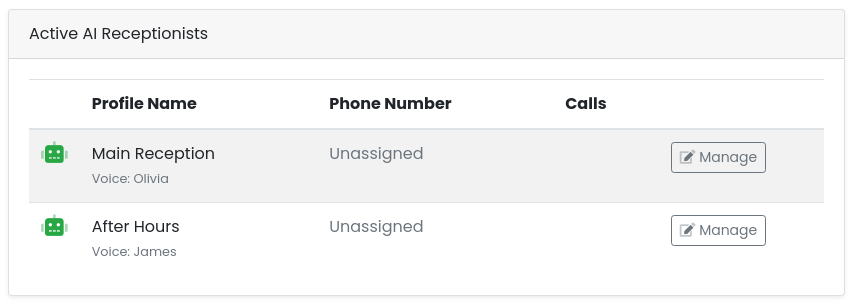
You need at least one AI receptionist to choose from. Check Services → AI Receptionist: it should be listed under Active AI Receptionists. If the list is empty, click [Add New Profile] there first and give it a name, a voice, a greeting and its instructions.
Create the routing profile
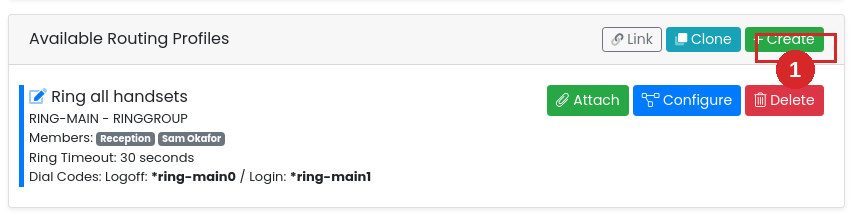
Go to Services → Phone Numbers, click [Manage] on the number, and in Available Routing Profiles click [+ Create].
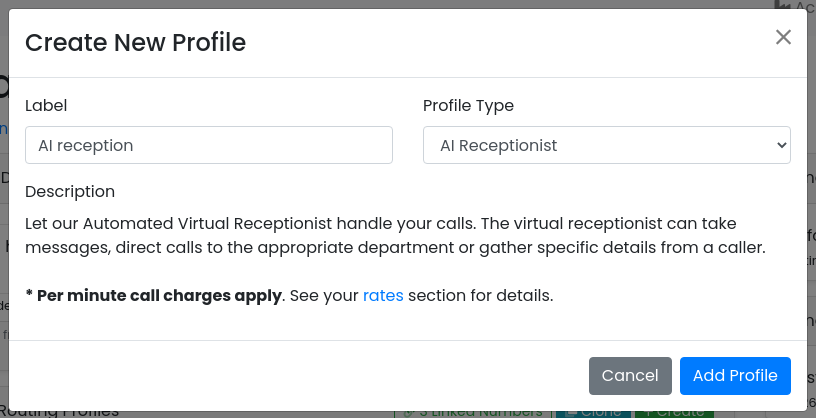
Give it a label, set Profile Type to AI Receptionist, and click [Add Profile].
The new profile appears in the list. It doesn't know which receptionist to use yet, so click [Configure] on it.

Select the AI receptionist
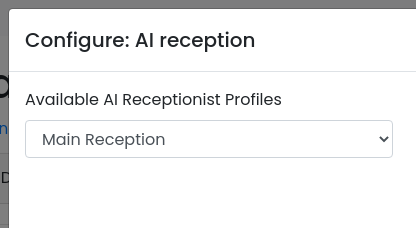
The Configure dialog has one setting: Available AI Receptionist Profiles, listing every receptionist you've built. Pick the one that should answer this number and click [Update Profile].
Attach it to a schedule
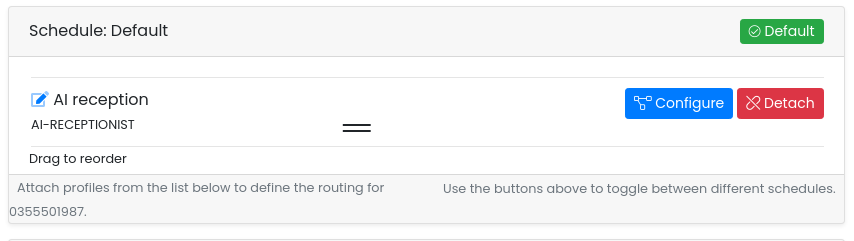
Select the schedule using the buttons at the top of the page — Default if the receptionist should answer at all times — then click [Attach] on the profile.

The receptionist is now first in line on that schedule. If a ring group or other profile is already attached above it, calls go there first and only reach the receptionist if they aren't answered; drag the rows to change the order, or detach what you no longer need.
What callers get
A call to the number is answered by the receptionist with its greeting. It then follows its instructions — taking a message, collecting details or transferring the call — and the call is billed per minute for as long as the receptionist is on the line. Once attached, ring the number yourself to hear it.
Troubleshooting
"AI Receptionist" isn't in the Profile Type list
The AI receptionist isn't enabled on your account yet. Contact us and we'll switch it on.
The Available AI Receptionist Profiles list is empty
You haven't built a receptionist yet. Go to Services → AI Receptionist, click [Add New Profile], then come back and configure the routing profile.
Calls aren't reaching the receptionist
- Check the routing profile is attached to the schedule that's active right now.
- Check it isn't sitting below a profile that never gives up the call, such as voicemail.
- Open [Configure] on it and confirm a receptionist is selected.
The wrong receptionist answers
Two receptionists with similar names are easy to mix up. Open [Configure] on the routing profile and pick the right one, then [Update Profile].