A Siptalk virtual mobile number can receive text messages as well as calls. You choose where incoming messages are delivered — to email, to one of your device extensions, or both — and every message is also kept in the portal. This guide sets that up for Acme Plumbing's bookings mobile.
Which numbers can receive SMS
Only virtual mobile numbers (04xx) can send and receive SMS. Local (02, 03, 07, 08), 1300 and 1800 numbers can't receive text messages, so they don't have SMS settings. If you don't have a mobile number yet, add one — it can take calls too, routed like any other number.
Choose where messages go
Go to Services → Phone Numbers and click [Manage] on the mobile number. In the right-hand column, find the SMS Delivery card.
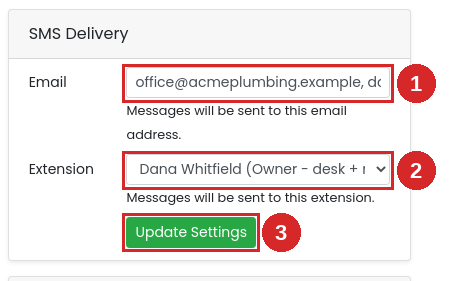
- Email — the address messages are sent to. To send to more than one person, separate the addresses with commas, e.g.
office@acmeplumbing.com.au, dana@acmeplumbing.com.au. Leave it blank for no email. - Extension — a device extension that receives each message as a text, on the handset or softphone app registered to it. Choose None – Email Only for no extension.
- Click [Update Settings]. New messages follow the new settings straight away.
How the options combine
- Email only — every message is emailed to each address listed.
- Extension only — every message goes to the extension's device.
- Both — every message goes to the email addresses and the extension.
- Neither — messages aren't forwarded anywhere; they're only available in the portal (below).
Whichever you choose, every message is kept in the portal as well.
Read messages in the portal
Go to Services → SMS Messages. Your mobile numbers are listed on the right, with a count of unread messages. Click a number to see everyone who has texted it, then click a contact to read the conversation. You can give contacts a label — "Mrs Chen – Kew" — with the pencil icon, so you know who's who next time.
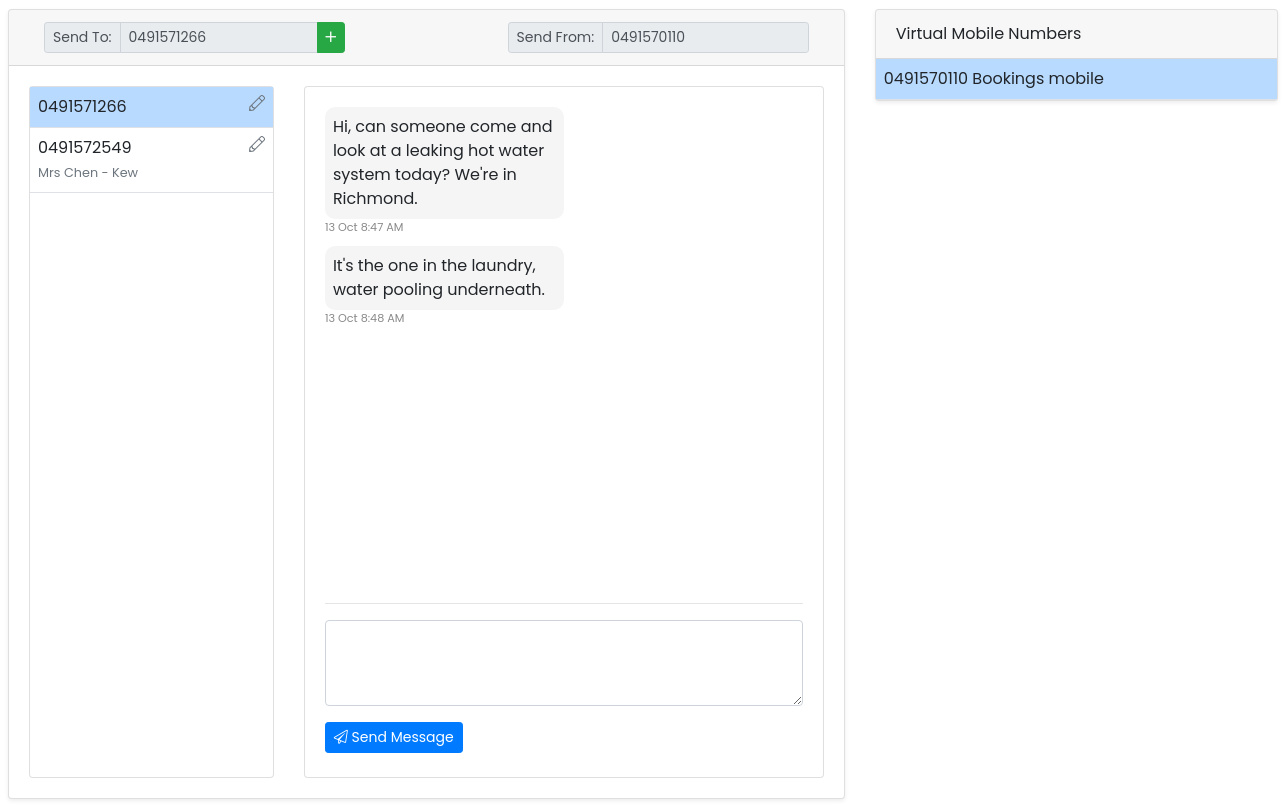
For a full log — every message with its date, sender, receiver and status — see Reporting → SMS Messages. Receiving messages is free.
Troubleshooting
There's no SMS Delivery card on my number
The number isn't a virtual mobile. Only 04 mobile numbers can receive SMS.
A customer says they sent a photo but nothing arrived
Picture and video messages (MMS) aren't supported, so they aren't delivered. Text messages from the same customer will come through normally.
Messages aren't arriving by email
- Check the address in the Email field, and that multiple addresses are separated by commas.
- Check spam or junk folders, and add the sender to your safe list.
- Confirm the message reached the number: it will be in Services → SMS Messages.
Messages aren't showing on the extension's device
- The device must be registered (online) to receive the text; check under Services → Device Extensions.
- Check the right extension is selected in SMS Delivery.
- Some devices and apps don't display SIP text messages. Use email as well, or read them in the portal.